See what’s filling your Mac. Tidy it without the worry.
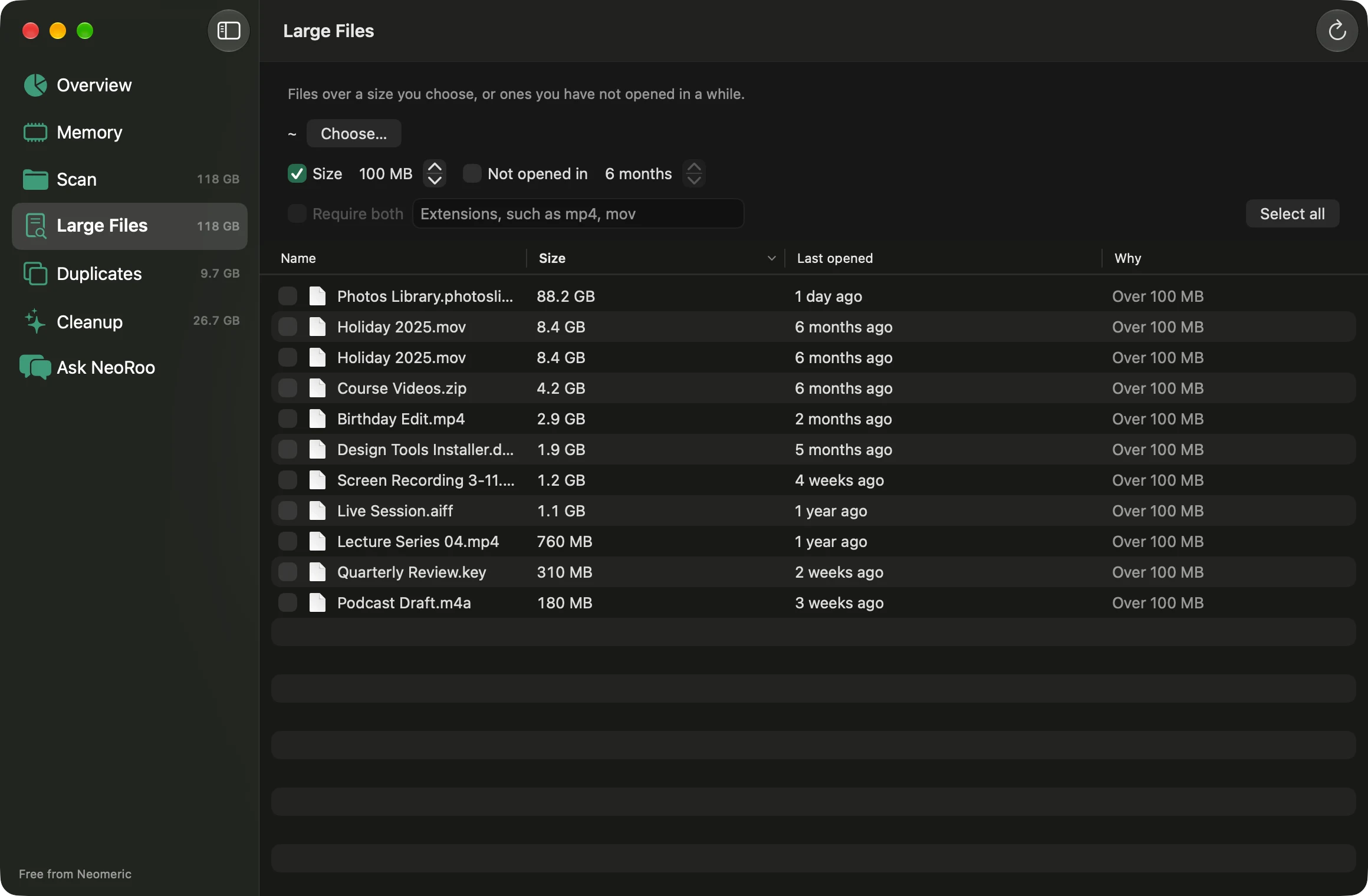
NeoRoo is a free Mac app that shows where your storage went, finds the big files, old downloads and exact duplicate copies, and helps you clear them. Everything it removes goes to the Trash, so you can always put it back.
Free. No account. Version 1.2, 3.3 MB. Needs macOS 14 or later, Apple silicon or Intel. First-open steps
- Only ever moves things to the Trash
- Nothing leaves your Mac
- No ads, no upsell, no subscription
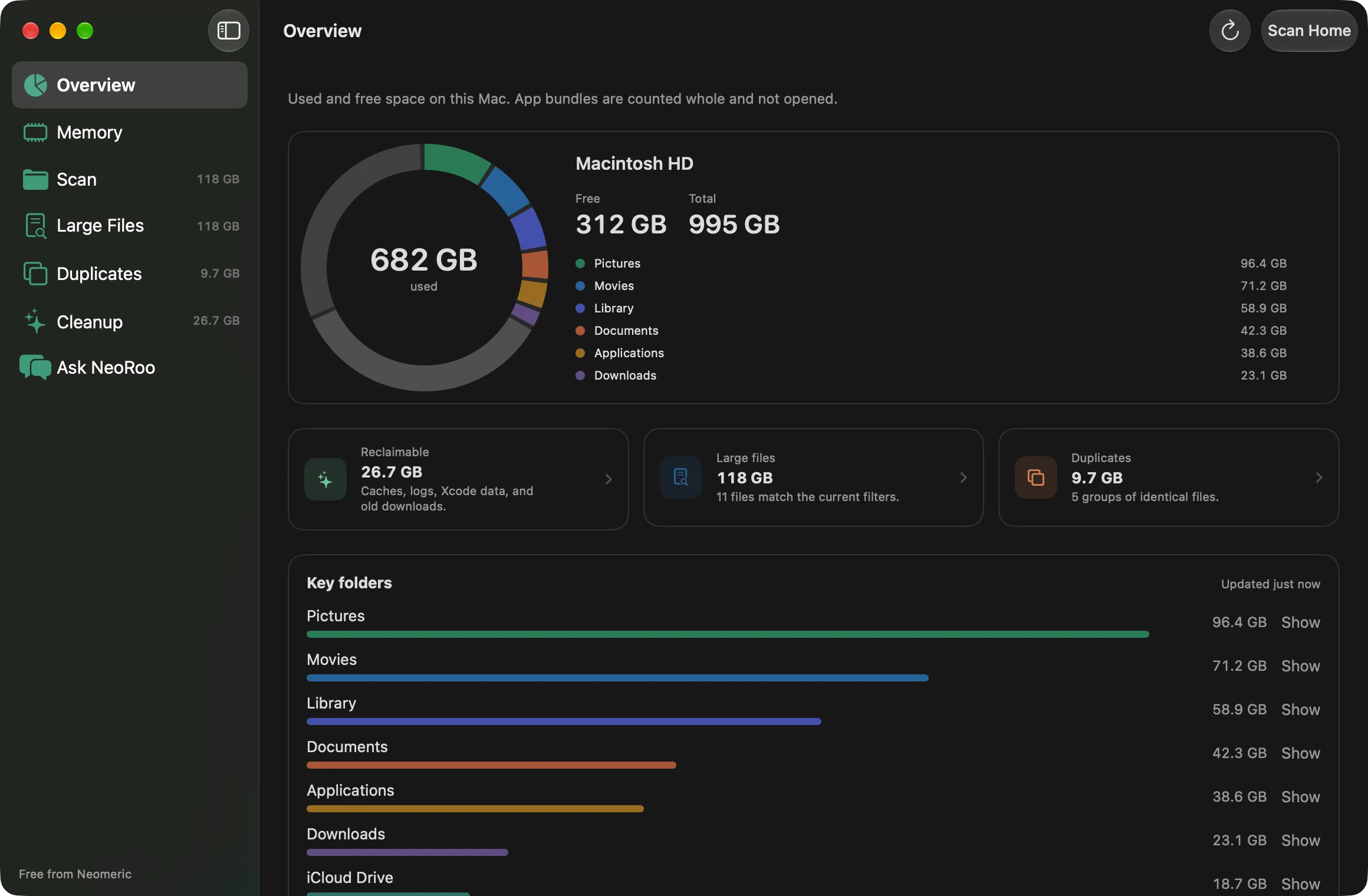
Five clear views of your disk.
One careful way to clean it.
“Your disk is almost full” tells you nothing. NeoRoo shows you what is actually there, in plain sizes, and lets you decide what goes.
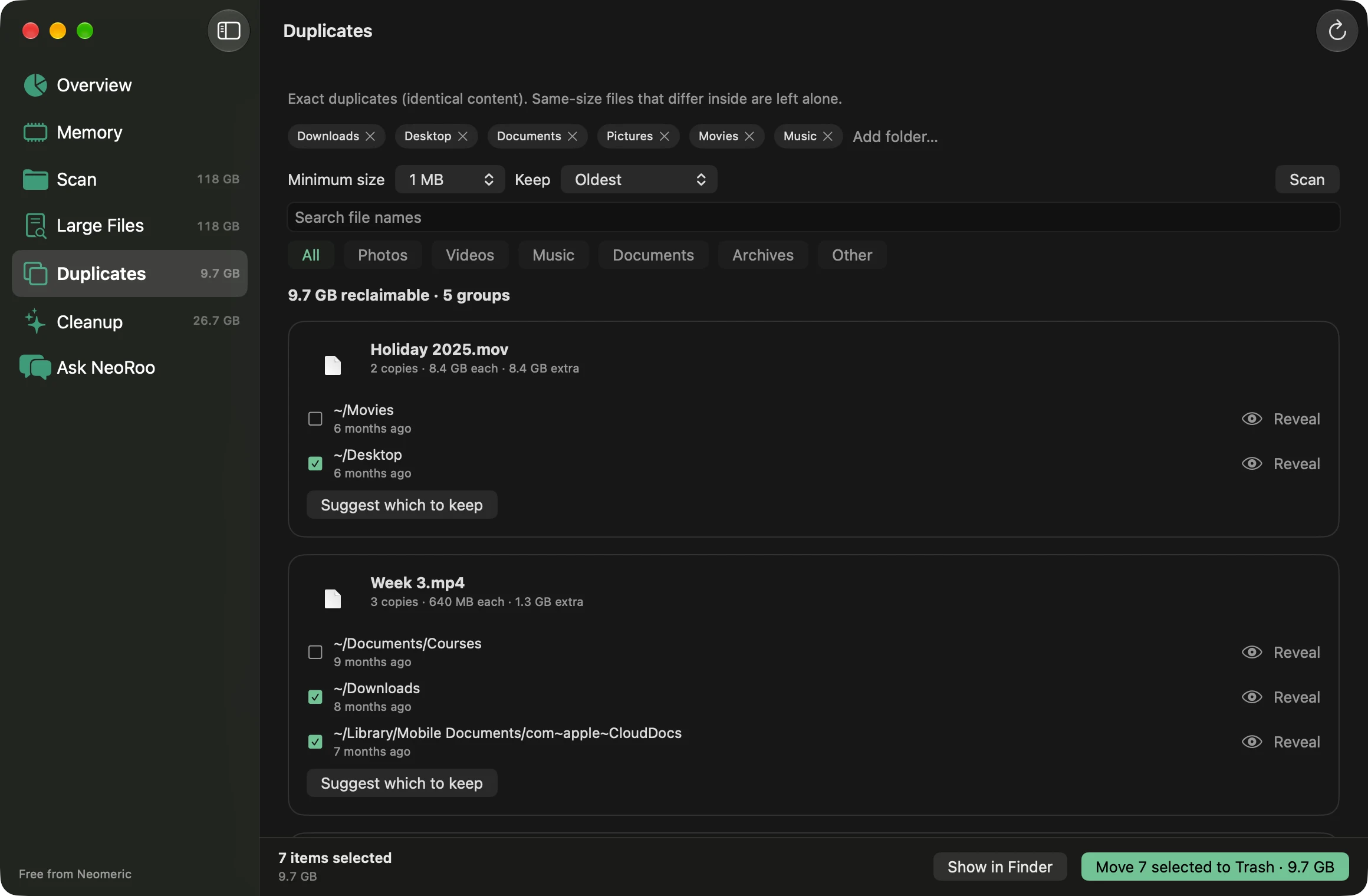
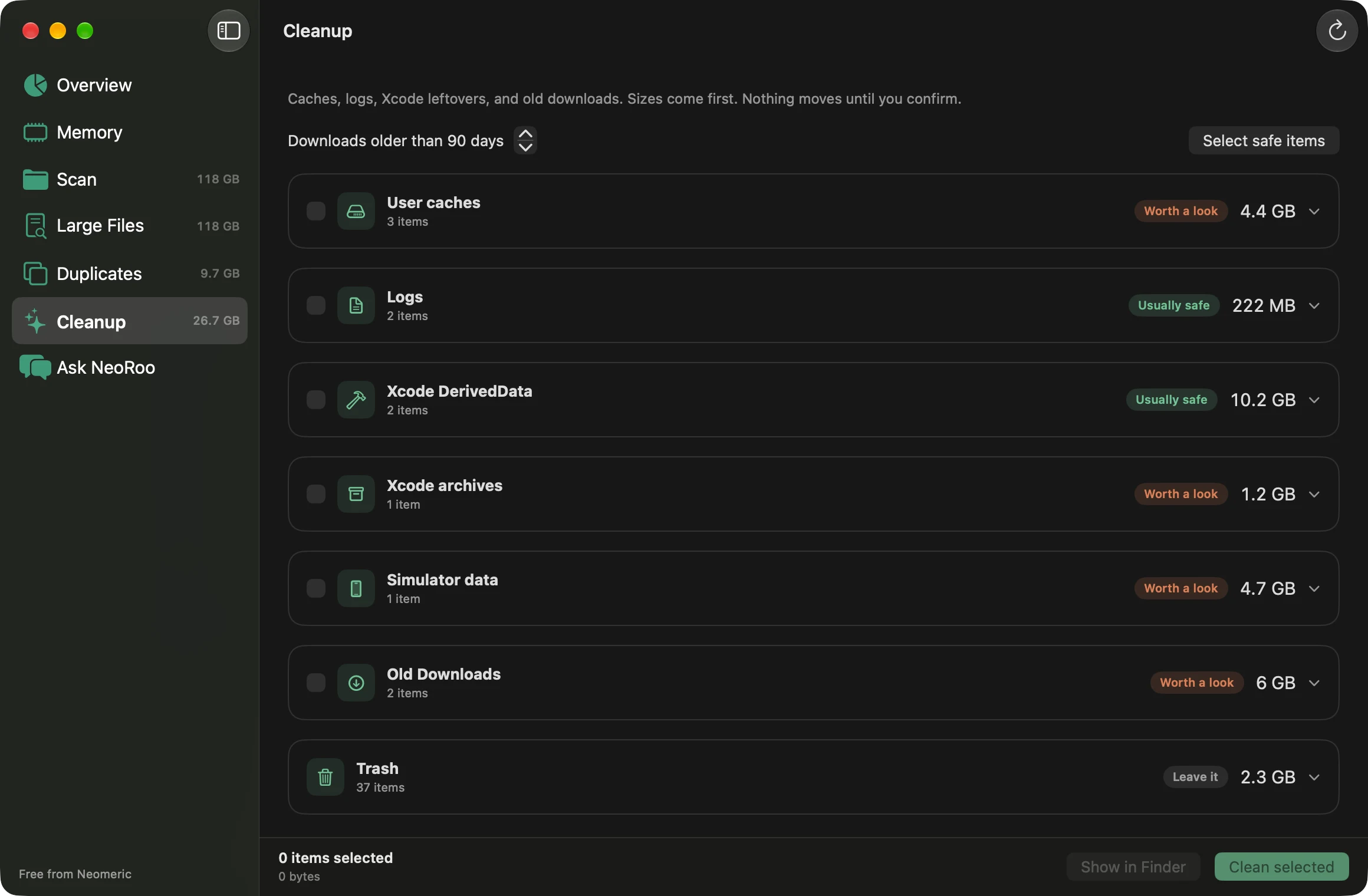
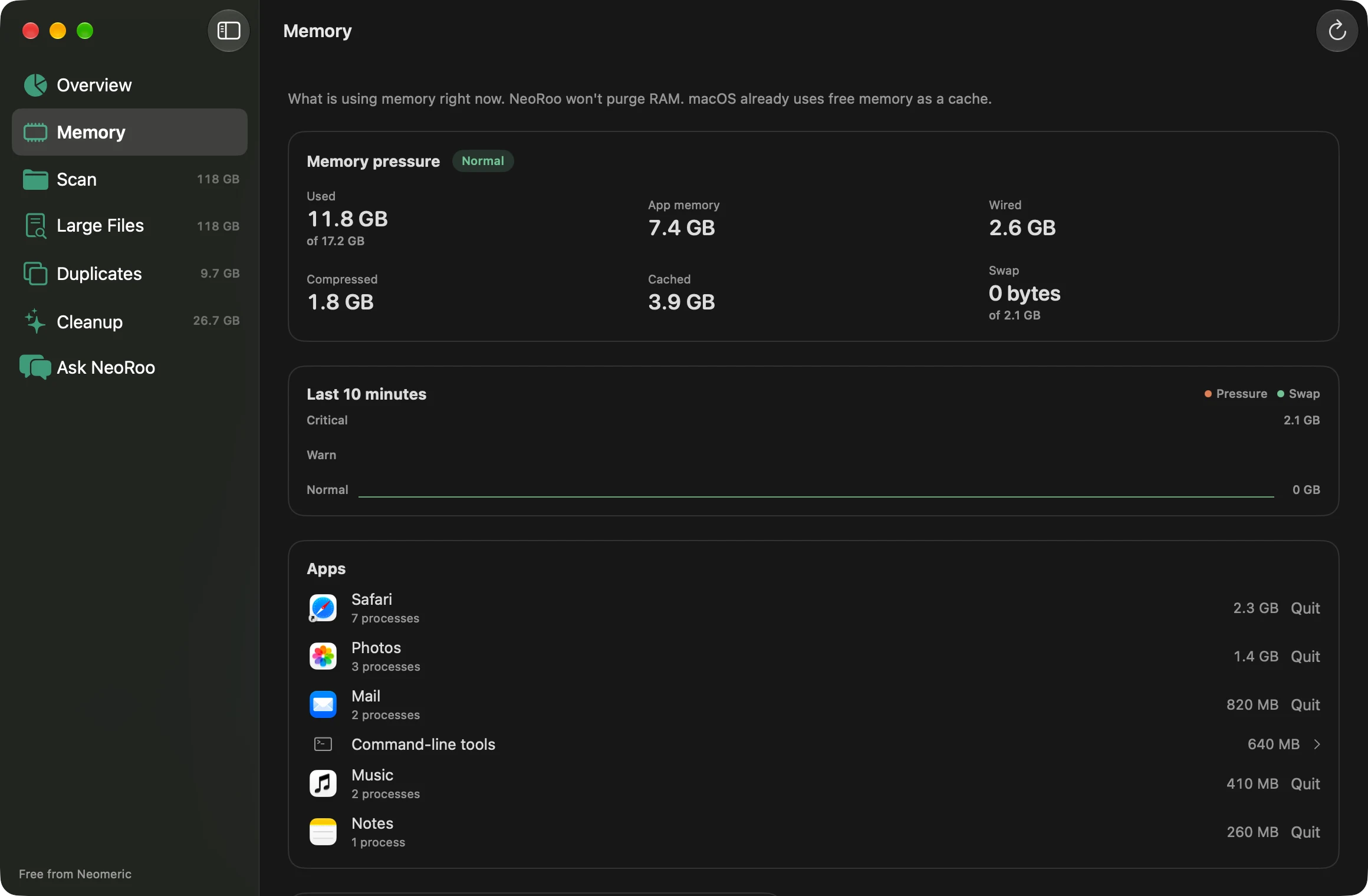
A cleaner should never
be the thing that loses your files.
Cleaning apps earn their bad name by deleting first and explaining later. NeoRoo is built the other way round.
Trash only, with Undo
NeoRoo never deletes anything outright and never empties your Trash. Changed your mind? Undo puts the last lot back where it was.
The important places are off limits
System folders, your iCloud Drive, password keychains and whole libraries such as Documents are refused, even if you select them by mistake.
You see the list before anything moves
Every clean-up shows exactly which items will move, where they are and how much space comes back. Nothing happens until you say so.
Your files are
none of our business.
NeoRoo has no account, no sign-in and no internet connection of its own. It reads file names and sizes on your Mac to show them to you, and that is where they stay.
On a Mac with Apple Intelligence you can also ask in plain English, such as “find big videos I haven’t opened this year”. That runs on your Mac using Apple’s built-in model. Without Apple Intelligence, everything else works the same.
Two minutes,
including one extra step from Apple.
NeoRoo comes straight from Neomeric rather than through the App Store, so the first time you open it macOS asks you to confirm. You only do this once.
-
Download and drag to Applications
Open NeoRoo.dmg from your Downloads folder and drag NeoRoo onto the Applications folder shown beside it.
-
Open NeoRoo once
Double-click NeoRoo in Applications. macOS will say it can’t verify the app. Click Done. That message is expected.
-
Allow it in System Settings
Open System Settings, choose Privacy & Security, scroll down to the line about NeoRoo and click Open Anyway. Confirm with your password or Touch ID.
-
That’s it
From now on NeoRoo opens with a normal double-click, and sits in your menu bar showing how much space is free.
On macOS 14 (Sonoma)? It’s shorter: right-click NeoRoo in Applications, choose Open, then Open again.
Why the warning? Apple shows it for any app that hasn’t been through its paid developer programme. NeoRoo is a free tool, so we publish it directly and list its file fingerprint here so you can check your copy is the one we made.
Yes. There is no paid version, no trial that runs out, no ads and no account. It is a free tool from Neomeric for people in Australia.
Neomeric is a Melbourne studio and our free tools are for the community we work in. The download page checks which country you are visiting from. Nothing about you is stored to do that.
No. NeoRoo only ever moves items to the Trash, after showing you the list and asking you to confirm. It never empties the Trash, and Undo puts the last lot back. System folders, iCloud Drive, password keychains and whole libraries such as Documents are refused outright.
Apple shows that message for any app that has not been through its paid developer programme. NeoRoo is free and published directly by Neomeric, so you confirm it once in System Settings, under Privacy & Security, by clicking Open Anyway. The steps are on this page, along with the file fingerprint so you can check your download.
No. The app has no internet connection of its own, no analytics and no account. File names and sizes are read on your Mac to show them to you, and they stay there.
It is a macOS permission that lets an app see protected places such as Mail, Messages and Safari data. NeoRoo works without it and never asks at launch. If you want those places included in the sizes, the app shows you where to switch it on, and you can switch it off again at any time.
Any Mac running macOS 14 (Sonoma) or later, with Apple silicon or an Intel processor. Asking questions in plain English needs macOS 26 with Apple Intelligence switched on. Everything else works without it.
NeoRoo does the core jobs: seeing where space went, finding large files and exact duplicates, and clearing caches and old downloads. It leaves out the things that tend to cause trouble, such as permanent deletion, memory “boosters” and background cleaning you didn’t ask for.
Made in Melbourne by people who build software for a living.
Neomeric is an AI product studio. We design, build and ship AI products for Australian businesses. The free tools are how we say thanks to the place we work in.